> ## Documentation Index
> Fetch the complete documentation index at: https://hotpotato.arrowtan.cc/llms.txt
> Use this file to discover all available pages before exploring further.
# Commands
> Every HotPotato command for players and admins.
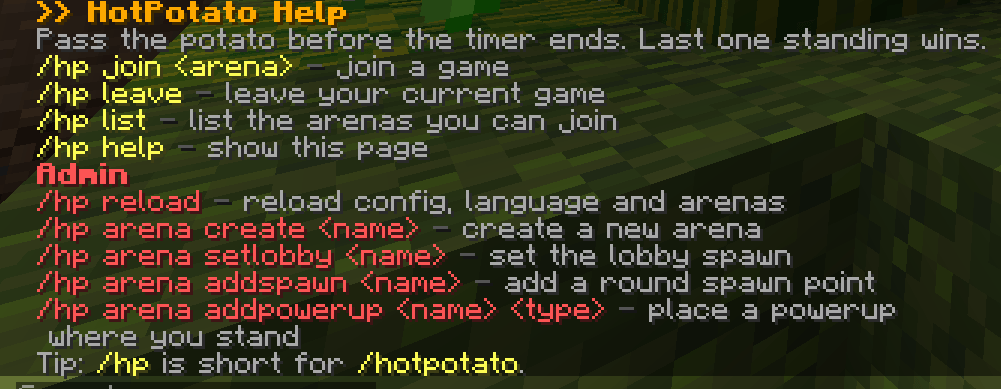
The base command is `/hotpotato`, with the alias `/hp`. Running it with no arguments shows the help page.
 These need `hotpotato.play`, which everyone has by default.
| Command | What it does |
| ------------------------- | ------------------------------------------------------------- |
| `/hotpotato join ` | Join the named arena. |
| `/hotpotato leave` | Leave your current game. |
| `/hotpotato list` | List arenas, their player counts, and whether they are ready. |
| `/hotpotato help` | Show the help page. |
These need `hotpotato.admin`, which operators have by default.
| Command | What it does |
| ----------------------- | ------------------------------------------------------------- |
| `/hotpotato reload` | Reload config, language, and powerups. Applies to live games. |
| `/hotpotato arena list` | Same as `/hotpotato list`. |
## Arena setup
All arena setup runs as `/hotpotato arena [value]`. For the location actions, stand where you want the point before running the command.
| Action | Usage | What it does |
| --------------- | -------------------------------- | ------------------------------------------------------- |
| `create` | `create ` | Create a new arena. |
| `delete` | `delete ` | Delete an arena. |
| `setlobby` | `setlobby ` | Set the lobby spawn to your position. |
| `addspawn` | `addspawn ` | Add a play spawn at your position. |
| `removespawn` | `removespawn ` | Remove the play spawn at that index. |
| `setspectator` | `setspectator ` | Set the spectator spawn to your position. |
| `setreturn` | `setreturn ` | Set where players go after a game. |
| `setcorner1` | `setcorner1 ` | Set the first [bounds](/features/arena-bounds) corner. |
| `setcorner2` | `setcorner2 ` | Set the second bounds corner. |
| `setmin` | `setmin ` | Minimum players to start. |
| `setmax` | `setmax ` | Maximum players. |
| `setpotatoes` | `setpotatoes ` | How many potatoes per round. |
| `setroundtime` | `setroundtime ` | Round length in seconds. |
| `addpowerup` | `addpowerup ` | Place a [powerup](/features/powerups) at your position. |
| `removepowerup` | `removepowerup ` | Remove the powerup at that index. |
| `listpowerups` | `listpowerups ` | List an arena's placed powerups. |
| `save` | `save ` | Save the arena and check it is playable. |
Run `save` after setup. If anything is missing or only one bounds corner is set, the message lists exactly what to fix.
These need `hotpotato.play`, which everyone has by default.
| Command | What it does |
| ------------------------- | ------------------------------------------------------------- |
| `/hotpotato join ` | Join the named arena. |
| `/hotpotato leave` | Leave your current game. |
| `/hotpotato list` | List arenas, their player counts, and whether they are ready. |
| `/hotpotato help` | Show the help page. |
These need `hotpotato.admin`, which operators have by default.
| Command | What it does |
| ----------------------- | ------------------------------------------------------------- |
| `/hotpotato reload` | Reload config, language, and powerups. Applies to live games. |
| `/hotpotato arena list` | Same as `/hotpotato list`. |
## Arena setup
All arena setup runs as `/hotpotato arena [value]`. For the location actions, stand where you want the point before running the command.
| Action | Usage | What it does |
| --------------- | -------------------------------- | ------------------------------------------------------- |
| `create` | `create ` | Create a new arena. |
| `delete` | `delete ` | Delete an arena. |
| `setlobby` | `setlobby ` | Set the lobby spawn to your position. |
| `addspawn` | `addspawn ` | Add a play spawn at your position. |
| `removespawn` | `removespawn ` | Remove the play spawn at that index. |
| `setspectator` | `setspectator ` | Set the spectator spawn to your position. |
| `setreturn` | `setreturn ` | Set where players go after a game. |
| `setcorner1` | `setcorner1 ` | Set the first [bounds](/features/arena-bounds) corner. |
| `setcorner2` | `setcorner2 ` | Set the second bounds corner. |
| `setmin` | `setmin ` | Minimum players to start. |
| `setmax` | `setmax ` | Maximum players. |
| `setpotatoes` | `setpotatoes ` | How many potatoes per round. |
| `setroundtime` | `setroundtime ` | Round length in seconds. |
| `addpowerup` | `addpowerup ` | Place a [powerup](/features/powerups) at your position. |
| `removepowerup` | `removepowerup ` | Remove the powerup at that index. |
| `listpowerups` | `listpowerups ` | List an arena's placed powerups. |
| `save` | `save ` | Save the arena and check it is playable. |
Run `save` after setup. If anything is missing or only one bounds corner is set, the message lists exactly what to fix.